
Dex Explorer
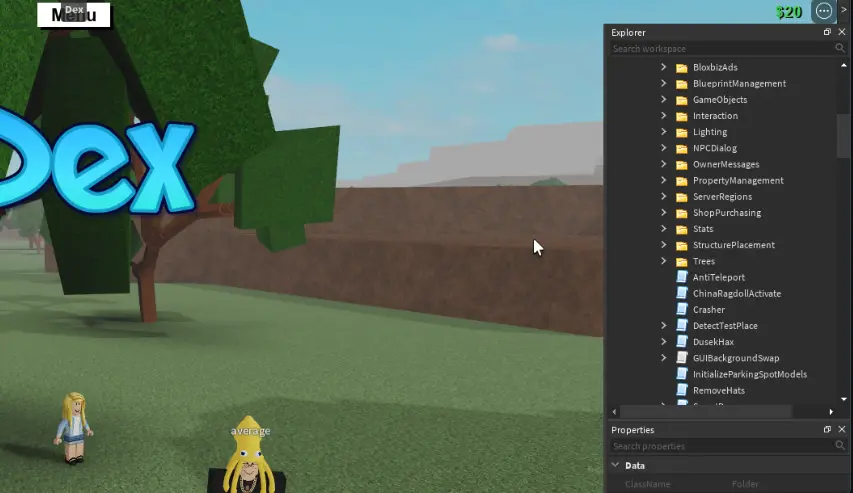
Description
Terminal
basically command interface with useful commands (non troll or gross) to get around
1. each command has all its funcs, state contained in a table
Debugging interface
more than just a remotespy
you can choose to hook any metamethod, instance func/prop/event/callback, or any func
logging args/returns of those funcs (like a remotespy)
realtime editing of your hooks (allowing easy debugging: arg apoofing, return spoofing, unhook) using script editor
scripted filters
save/load these configs
default template would be set up to function like a remotespy
Explorer
smart autofill for search
more filters for search
bookmarking / starring insts
a lot of the things in right click that i planned but didn't finish
Properties
Copy value on clipboard (what is displayed in the box, or formatted to be pasted into lua)
Select object properties in explorer
Tag Editor (I saw the new one on devforum recently, would be better as its own window)
Data viewing & finding
the const, upval, etc searching
list references of userdata, table, function (i wanted to make it so you can easily explore the references, opens new tab for each individual object)
detailed view of selected function (env, consts, upvals, decompiled src, script path, references)
easily create constant signatures
thread exploring
Script viewer/editor
some decent autofill
info bar at bottom (line of error, line count, col count, etc)
Reference
interactive api docs for instance props, funcs, etc
docs for some other stuff such as 'Dex' global, plugin api, executor api, etc
some tutorials with text, pics, and video (not doing video until roblox removes limit of 3 playing videos)
Plugins
Easy way to add some stuff such as right click options, search filters, commands, etc
Access to dex's api for windows, modules, etc
loadstring(game:HttpGet("https://github.com/BOXLEGENDARY/Dex/releases/latest/download/out.lua"))()Discussion
0 / 20Log in to join the discussion.
Nothing here yet — start the thread with a question or tip.